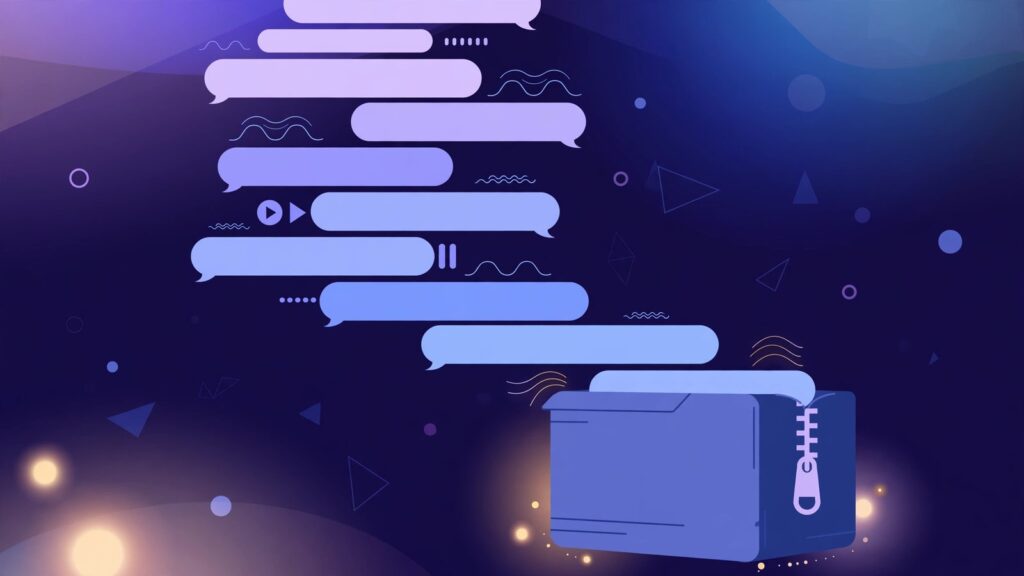
A long conversation with ChatGPT holds its value in the whole arc, yet the moment someone tries to save the audio, that arc gets chopped into dozens of separate downloads. The lesson was built step by step, answer on top of answer, and it only makes sense in that order. Saving it one clip at a time breaks the very thing that made the session useful. Hands get tired around the tenth file, attention slips around the fifteenth, and somewhere near the end a clip gets skipped without anyone noticing. The gap usually surfaces days later, mid-playlist, when the explanation jumps and a step is clearly missing.
Batch download exists for exactly this shape of work. Instead of saving each read-aloud answer as its own errand, the whole conversation comes down as a single ZIP file, with every captured answer inside, numbered in conversation order. One download, one folder, one complete set. The habit suits anyone who treats ChatGPT or Gemini as a listening teacher, a research partner, or a production tool rather than a quick question machine.
How the batch download actually works
AloudSaver is a Chrome extension that saves the read-aloud voice of ChatGPT and Gemini as MP3 files. The capture happens inside the browser tab while the answer is being read aloud. Nothing gets recorded from the speakers and no microphone is involved. Pressing the Listen button on an answer starts the voice, and the extension catches that audio stream as it plays, holding each finished clip ready for download.
A small red badge on the extension button keeps count of captured clips. That counter sounds like a minor detail until a conversation runs long. It is the running tally of the session, the one reliable answer to the question of how many answers have actually been caught so far. Play an answer, watch the badge climb by one, move to the next. When the badge number matches the number of answers worth keeping, the set is complete and the batch can be packed.
On the Pro plan, a single action then gathers every captured clip and compresses the set into one ZIP archive. The files inside carry simple sequential names, aloudsaver-01.mp3, aloudsaver-02.mp3, aloudsaver-03.mp3, following the order the answers appear in the conversation. The numbering does quiet but essential work. Any player, phone, or car stereo that sorts by filename will play the lesson in the sequence it was taught, with no dragging files into order by hand.

Setting up the folder after the ZIP lands
The download itself takes seconds. What decides whether the material stays useful for months is the five minutes spent organizing it on arrival. A workable pattern starts with one parent folder per project or course, named for the subject rather than the date. Inside it, the unzipped batch keeps its own subfolder named after the session topic. A folder called Compound Interest Basics will still mean something in six months. A folder called New Folder 14 never meant anything at all.
The numbered filenames deserve to stay untouched. Renaming aloudsaver-07.mp3 to something descriptive feels tidy and quietly destroys the sort order that makes the batch valuable. Players sort by those numbers. Anyone who wants descriptions can keep a small text note in the same folder, listing what each numbered clip covers. The note carries the meaning, the filenames carry the order, and neither job interferes with the other.
One more habit pays off on longer projects. Keep the original ZIP beside the unzipped folder as the untouched archive copy. Storage is cheap, and a pristine original settles every later doubt about whether a file was edited, trimmed, or lost. The working folder gets played, copied to phones, and shared around. The ZIP stays still and keeps the master set intact.

When the batch route earns its keep
The clearest case is a self-built course. A learner asks ChatGPT to teach a subject across a structured run of answers, perhaps pronunciation drills, grammar explanations, or a walk through a difficult chapter. Played in order, the set behaves like a recorded course that can be replayed offline, on a commute, without opening the chat again. Saved piecemeal, the same material usually dies as scattered clips in a downloads folder.
Themed listening series work the same way. A week of short talks on one subject, a set of story chapters read aloud, a run of interview practice answers, each forms a small library that only holds together as a sequence. Batch download keeps the sequence sealed in one archive instead of trusting memory to reassemble it later.
Long content projects form the third case. Writers and creators who draft scripts, lessons, or narration with an AI assistant often end a session with a conversation that documents the whole build. Archiving the audio of that conversation preserves the reasoning in spoken form, searchable by memory and playable anywhere, long after the chat has scrolled far down the sidebar and become awkward to reopen.
The value of a long lesson lives in its order. Save the order, and the lesson survives the download.
Mistakes that quietly ruin a batch
The most common failure is a missing clip in the middle. An answer gets read while the tab sits in the background, or the listener moves on before the voice finishes, and that clip never gets captured. The ZIP then packs a set with a hole in it, and the hole announces itself at the worst possible moment, halfway through a listening session. The guard against this is plain discipline. Let each answer finish playing before moving to the next one.
The second mistake is packing the batch without checking the badge. The red counter exists precisely so the count can be verified before the download starts. Counting the answers worth keeping takes half a minute. Comparing that number with the badge takes two seconds. Skipping the comparison turns a complete archive into a lottery, and the loss stays hidden until playback reaches the gap.
The third mistake happens after a successful download. The ZIP gets unzipped into the general downloads folder, the files mix with everything else on the machine, and the set dissolves within a week. Every batch deserves its named folder on the day it arrives. Postponed organization is usually permanent disorganization, because nobody returns to sort audio they can no longer identify.
- Let every answer finish playing before pressing Listen on the next one.
- Compare the badge count with the number of answers worth keeping before packing.
- Move the batch into a named project folder on the same day it is downloaded.
- Keep the original ZIP untouched as the archive copy.
Free and Pro, seen from a long conversation
The free tier of AloudSaver allows five downloads a day, one file at a time. For a quick answer or a short explanation, that covers the need comfortably. A forty-answer course session is a different matter. Saving it file by file across many days invites exactly the disorder described above, clips scattered across dates with no guarantee the set is complete.
Pro removes the daily limit and adds the batch download described in this guide, priced at $5 a month, $24 for six months, or $39 a year. The honest way to judge the upgrade is by session length. Short, occasional saves stay free forever. Regular long sessions, courses, series, and project archives repay the batch route the first time a complete set lands in one folder with nothing missing. Signing in uses a Google account, and the same account carries the plan across machines.
Frequently asked questions
Does the ZIP keep the answers in the right order?
Yes. Files inside the archive are numbered in conversation order, starting with aloudsaver-01.mp3. Any player that sorts by filename plays the session in the sequence the answers were given, so the lesson unfolds exactly as it did in the chat.
What happens if an answer was never played?
A clip exists only after its answer has been read aloud and captured. An answer that was never played leaves no clip, and the batch will show a gap in the sequence of topics even though the numbering stays tidy. Checking the badge count against the answers worth keeping catches this before packing.
Can a batch include answers from two different conversations?
Captured clips belong to the session in progress, so the clean approach is one conversation per batch. Finish and pack the first conversation, then start the next one with a fresh count. Each ZIP then mirrors one complete session, and the folder names on the computer stay honest.
Where do the files play after unzipping?
The archive contains ordinary MP3 files, so anything that plays MP3 works. Phones, car systems, media players, and editing software all accept them without conversion. Copy the unzipped folder to a phone and the numbered order travels with it.
The next long session is the right test. Run a real lesson or project conversation, play each answer worth keeping, watch the badge until the count matches, and pack the whole set into one archive. Then give the folder a name with meaning and keep the ZIP beside it. Ten minutes of care at download time turns a fragile chat into a small library that can be heard anywhere, in order, for as long as it stays useful.