A colored crown looks like decoration until the morning it settles, in half a second, the question subscribers kept putting to support: which plan is this account actually on? AloudSaver 3.0 is built around that kind of small, honest clarity. The release gives every plan its own badge, speaks five interface languages, and rebuilds the audio capture underneath so it keeps pace with the ChatGPT interface people use today. The habit at the center of the tool stays exactly where it was. Press Listen on an answer, let the extension catch the audio stream inside the same tab, watch the red badge count the clips, then open the panel and save the recording as an MP3.
That flow has carried AloudSaver since its first release, and it survives because it respects how people already work. Nobody opens ChatGPT planning to manage downloads. A teacher is mid lesson, a learner is shadowing a paragraph, a researcher is three answers deep into a long explanation. The recording has to happen where the listening happens, with almost no ceremony. Version 3.0 keeps the ceremony at zero and spends its effort on the three places where friction used to gather: knowing your plan, reading the interface, and trusting the capture to start on time.

A badge for every plan, readable at a glance
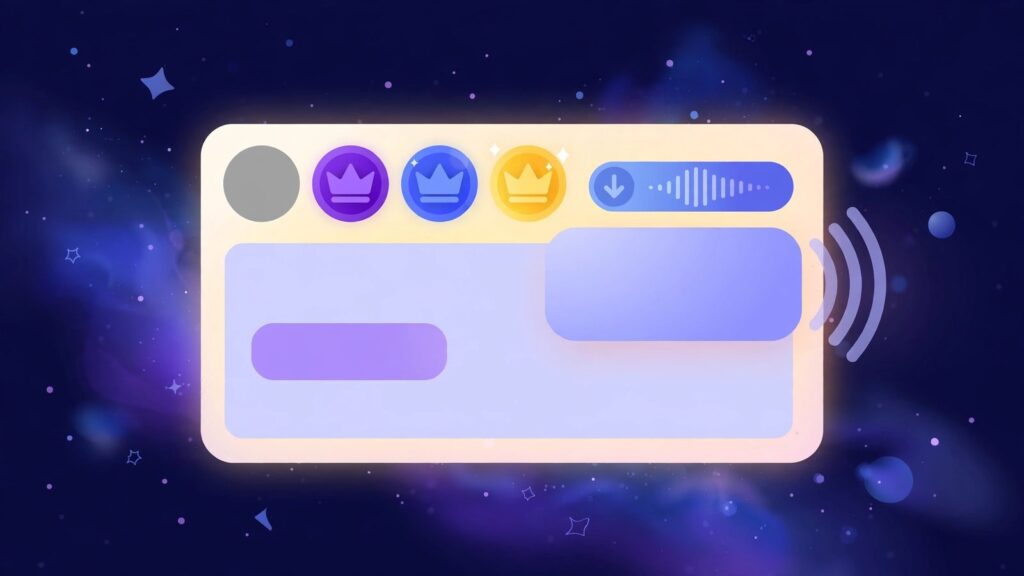
The Free plan now wears a plain gray circle. Pro Monthly carries a violet crown, Pro 6 Months a blue crown, and Pro Yearly a gold crown, the warmest color kept for the longest commitment. The change sounds cosmetic, and on a quiet afternoon it is. Its value shows up on the messy days. Many subscribers hold more than one Google account, one for work and one for home, and sign in with whichever the browser offers first. Before 3.0, a person on the wrong account would hit the free daily limit and reasonably conclude that a paid plan had lapsed. Support conversations then burned time on a mystery that had a one word answer. The badge gives that answer before the question forms. Gray means the account in front of the screen is a free one, whatever the other account holds.
Screenshots sent to support have become more useful for the same reason. The badge sits in the frame and states the plan without anyone digging through menus or order emails. A status that needs three clicks to verify tends to go unverified during a busy session, and unverified states are where small confusions grow teeth. AloudSaver 3.0 puts the state of the account in the same glance that starts the work.
The state of an account should be readable in the same glance that starts the work. Everything else is decoration.
Five languages, and the choice stays with the reader
The interface now speaks English, Vietnamese, Korean, Japanese and Simplified Chinese, picked by hand from a selector inside the popup. The manual part matters more than the count. Browser language is a poor guess at the language a person wants from a study tool. Consider a Vietnamese learner working through Korean listening drills on a laptop set to Vietnamese. An automatic setting would hand her a Vietnamese interface at the exact moment she wants the tool itself to feel Korean. Consider the reverse in a shared household, where one browser profile serves three people and three different intentions across a single day.
A manual selector ends the guessing. Pick a language once and the popup keeps it, through restarts and updates. English stays the default for new installs, since the store audience spans many countries, and the other four cover the communities that adopted AloudSaver earliest and wrote in most often. Five languages will not cover the whole map. They cover the map as the mailbox drew it, which is the honest way to grow a small tool.

Capture rebuilt for the ChatGPT interface people actually use
The deepest work in AloudSaver 3.0 sits under the surface. ChatGPT revises its page often, and a capture method tuned for an older layout ages quickly. An answer might play aloud while the extension, watching for yesterday’s page structure, misses the start of the stream or notices it late. The 3.0 release reworks how the extension recognizes read aloud playback and hooks the audio stream inside the tab. Capture now engages sooner after the Listen press and holds on more steadily while long answers play, and the red badge keeps counting each clip as it lands.
The Gemini side of the tool follows the same rhythm it always had. Press the read aloud control, the stream is caught in the tab, the panel offers the save. One habit serves both platforms, which keeps the learning cost at a single lesson. And the privacy shape of the tool is unchanged by the rebuild. The audio is processed inside the browser and assembled into an MP3 on the machine doing the listening. Nothing is uploaded to a server, because the design never needed a server in the loop. A recording of a private draft, a therapy journal entry, a client brief read back for proofing, stays on the computer that played it.
What has not changed
The numbers stay familiar. Free accounts save five downloads a day, and the allowance resets each day. Pro removes the daily ceiling and adds batch saving, where a whole conversation comes down as a single ZIP file instead of a stack of separate saves. Pro Monthly costs $5 a month, Pro 6 Months costs $24 for six months, and Pro Yearly costs $39 a year. Signing in still runs through Google, one account carrying the plan across machines. Anyone weighing the tiers can read the fuller comparison in our guide to choosing between the Free and Pro plans, though the badge system now makes the current tier visible before any comparison begins.
Habits that make 3.0 feel faster, and mistakes that waste it
A few working habits get more from this release than others. Language learners gain the most when capture becomes a routine rather than an event. Saving the same short answer each morning for shadowing practice builds a dated library of listening material, and the MP3 files wait on the phone for the commute, the walk, the dishes. Teachers preparing listening exercises benefit from batch saving on Pro, gathering a full conversation into one ZIP the night before class instead of collecting files one by one. Long form listening suits the tool as well. A forty minute explanation is hard to absorb at a desk and far easier on a train, in pieces, at double speed in a familiar player.
Against those habits stand a few mistakes that recur in the support mailbox:
- Opening the panel before pressing Listen. Capture begins when the answer plays aloud, not when the panel opens. A panel opened first sits empty, and the empty panel reads like a failure when the sequence was simply reversed.
- Blaming Pro for a free account limit. Hitting five downloads on a gray badge means the browser is signed in with a different Google account than the one carrying Pro. The crown colors exist to end this exact confusion, so read the badge before writing the ticket.
- Skipping around mid capture. Jumping between answers while one is still playing can leave a clip half caught. Let an answer finish, watch the badge count settle, then move on.
- Leaving the language on a shared default. On a family or classroom machine, the interface may greet its next user in the previous user’s language. Ten seconds in the popup selector fixes the setting for every session after.
Questions people ask about AloudSaver 3.0
Does AloudSaver 3.0 change the way audio is saved?
The sequence is untouched. Press Listen on a ChatGPT or Gemini answer, the extension captures the audio stream in the tab and counts the clips on its red badge, then the panel saves the recording as an MP3. The rebuild changed how reliably capture starts, not the movements a user makes.
What do the four badge designs mean?
The plain gray circle marks a Free account. Pro Monthly wears a violet crown, Pro 6 Months a blue crown and Pro Yearly a gold crown. One look at the popup tells any user which plan the signed in account holds.
How is the interface language changed?
Open the extension popup and use the language selector to choose English, Vietnamese, Korean, Japanese or Simplified Chinese. The choice is made by hand rather than guessed from the browser, and the popup remembers it.
Is any audio uploaded to a server?
None. Capture and MP3 assembly happen inside the browser on the listener’s own machine. AloudSaver works on the stream the tab already played, so recordings stay local from the first second to the saved file.
A calmer kind of update
AloudSaver 3.0 asks for one short errand. Update the extension, open a ChatGPT conversation, press Listen on any answer and glance at the badge in the popup. If the crown color matches the plan on the receipt, the account house is in order, and if the interface greets its reader in the wrong language, the selector sits one click away. Then get back to listening. The best version of a small tool is the one that stops being thought about, and 3.0 moves AloudSaver closer to that quiet standard: clear about its state, fluent in more tongues, and quicker to catch the voices worth keeping.